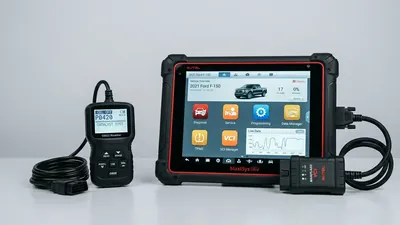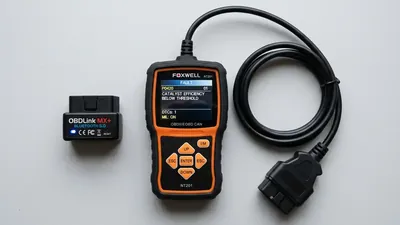
If you own an Android phone, you already own half of an OBD2 scanner. Add a small adapter that plugs into your car’s diagnostic port, install a free or cheap app, and your phone becomes a full code reader with live engine data — usually for less than the price of a basic handheld scanner. The catch is that not every adapter and app combo works well. Some are slow, some drop their connection mid-scan, and some simply can’t talk to your car. This guide explains what to look for so you buy the right pairing the first time.
How an Android OBD2 scanner works
An OBD2 setup for Android has two parts: a physical adapter and an app.
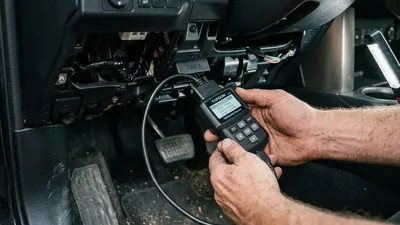
The adapter plugs into the 16-pin OBD2 port under your dashboard. That port is the same on every car sold in the US since 1996, so one adapter fits almost any vehicle you’re likely to drive. The adapter reads data from your car’s computer and sends it to your phone over a short-range wireless connection — usually Bluetooth, sometimes Wi-Fi. The app on your phone turns that data into something useful: trouble codes, live sensor readings, and graphs.
Because the port and the basic codes are standardized, the same adapter and app work across different cars. That’s the beauty of the setup — and it’s why a phone-based scanner is such a good value for a home mechanic.
Bluetooth or Wi-Fi: which adapter type?
For Android phones, you have two wireless options:
- Bluetooth adapters are the most common and the cheapest. Most work with Android right out of the box.
- Wi-Fi adapters create their own small network and can stream data faster, which helps when you’re watching live data on a graph.
Inside the Bluetooth group there’s an important difference: classic Bluetooth (versions 2.x and 3.0) versus Bluetooth Low Energy, or BLE (versions 4.0 and newer). BLE is faster and uses less power, and nearly every modern phone supports it. If you’re buying new, look for an adapter that supports Bluetooth 4.0 or newer. Avoid old stock with Bluetooth 2.1 or 3.0 if you can — those tend to be slower and are often based on outdated chips.
Wi-Fi adapters are worth considering if you plan to do a lot of live-data work, like watching oxygen sensor voltage while diagnosing a catalyst problem. They tend to stream more smoothly than the cheapest Bluetooth adapters. The trade-off is that Wi-Fi adapters are usually a little more expensive and can be fiddlier to connect the first time.
The honest truth about cheap adapters
Here’s the part most shopping guides skip: the vast majority of adapters you’ll find online for under $20 are based on cloned copies of the original ELM327 chip. The original design was meant to be licensed, but clones are everywhere. Some clones work perfectly for years. Others connect slowly, drop out mid-scan, or report data that doesn’t quite match the real sensor readings.
That doesn’t mean you must spend a fortune — many people are perfectly happy with a $15 adapter. But it does mean cheap adapters are a lottery. If you want fewer headaches, look for an adapter with recent reviews and a seller who actually answers questions. If a deal seems impossibly cheap, expect it to behave like it.
What to look for in the adapter
When you’re comparing adapters, these are the features that actually matter:
- Bluetooth 4.0 (BLE) or newer — faster, more reliable, and easier on your phone’s battery.
- A power switch or auto-sleep — many adapters stay powered with the key off, which can slowly drain your car battery if you leave it plugged in for days.
- Good build quality — a snug connector and a small, durable case. The port lives in a footwell; it gets kicked.
- Full protocol support — CAN is standard on most cars from around 2008 onward, but older vehicles may use different protocols. Quality adapters handle all of them.
- A reasonable update rate — better adapters refresh data many times per second. Cheap clones might update only a few times per second, which makes live gauges feel jerky.
What to look for in the app
The adapter is only half the story. The app is what you’ll actually look at, so it matters just as much. Good apps offer:
- Code reading and clearing — the basics, including plain-English definitions.
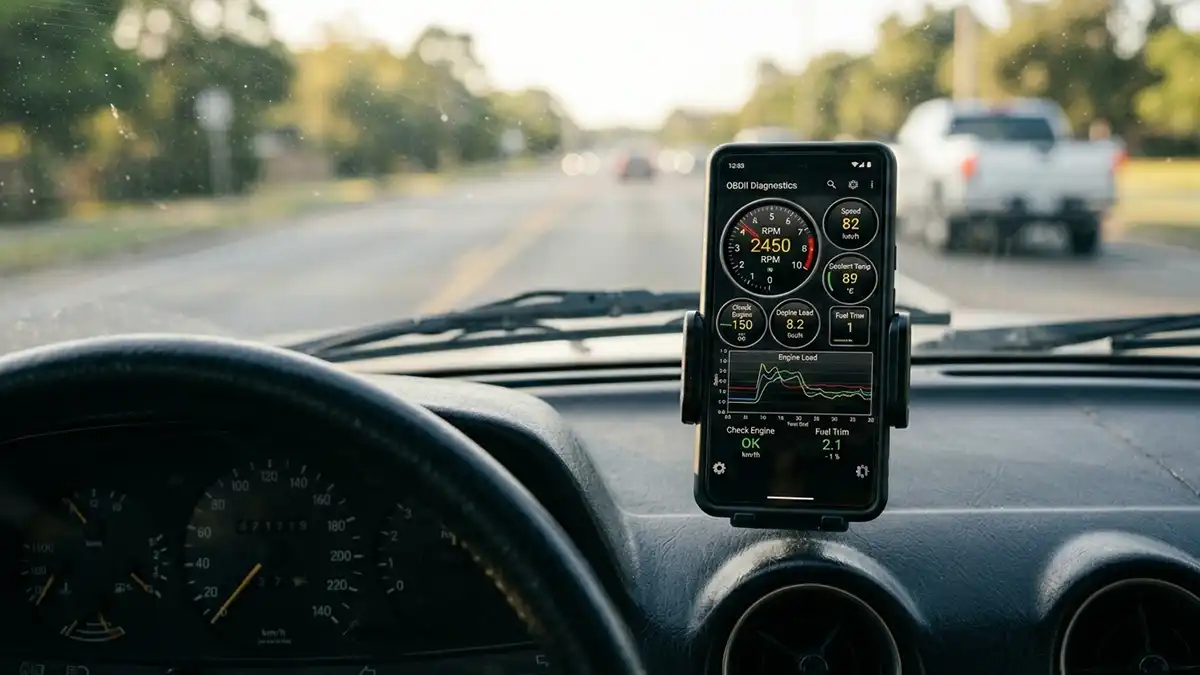
- Live data with customizable gauges — so you can watch RPM, coolant temperature, fuel trims, and more in real time.
- Freeze frame data — a snapshot of engine conditions at the moment the code was stored.
- Emissions readiness monitors — useful if your state requires an inspection and you want to check before the test.
- Graphing and logging — plot a sensor over time and export the data, a huge help for intermittent problems.
- Code lookup — some apps link you to detailed explanations, like our own P0420 code page when your catalytic converter efficiency light comes on.
Free apps handle basic code reading fine. Paid apps — usually a few dollars, one-time — add live data, graphing, and logging. That’s a small price for a big jump in usefulness.
How much should you spend?
There’s no single “best” Android scanner, because the right price depends on what you do with it. Here’s how to think about the tiers:
- Under $30: A basic adapter plus a free app. Fine for reading and clearing codes, checking why your check engine light is on, and occasional live data. Expect occasional connection hiccups.
- $30 to $80: Faster, more reliable adapters with better chips. Live data is smoother, connections hold better, and you can trust the readings more. This is the sweet spot for most home mechanics.
- $100 and up: Professional-grade adapters with much faster sampling rates and sometimes support for enhanced systems like ABS or airbags through special apps. Only worth it if you’re doing serious diagnostic work.
What an Android setup can’t do
Being honest about limits saves you frustration later. A phone and adapter combo:
- Can’t run bi-directional controls in most apps — you can’t command a fuel pump to cycle or a cooling fan to turn on to test it, which professional scan tools can do.
- Has limited enhanced coverage — generic OBD2 codes like P0171 and P0300 are fully readable, but manufacturer-specific codes for transmission, ABS, and airbags need special apps and sometimes extra hardware.
- Can’t do programming or adaptations — things like injector coding or steering angle sensor resets are beyond phone apps.
None of that matters for the typical owner, but it’s good to know the boundary.
Putting it to work: a real example
Say your check engine light comes on and the app shows P0171 — the engine is running lean. Instead of just clearing the code and hoping, you can watch the fuel trim values live. If the long-term fuel trim stays high, the problem is real and worth fixing. Clear the code only after you’ve made a repair and confirmed the numbers look normal — otherwise the light will be back before you know it.
A phone-based OBD2 scanner is genuinely the best value in diagnostics for Android owners. Buy a decent adapter, pair it with a capable app, and you have a tool that answers the question “what’s wrong with my car?” for less than the cost of a tank of gas.
Frequently asked questions
Do I need a paid app to use a Bluetooth adapter? No. Free apps read and clear codes on most phones. Paid apps, usually a few dollars, add live data, graphing, and logging — worth it if you do your own repairs.
Will the same adapter work on any car? Any 1996-or-newer car sold in the US uses the same OBD2 port, so yes, one adapter covers them for generic codes. Hybrids and some older vehicles may need extra setup, but that’s rare.
Can leaving the adapter plugged in drain my car battery? Yes. Many adapters stay powered even with the key off, and over days or weeks that adds up. Unplug the adapter when you’re not using it, or choose one with a power switch.