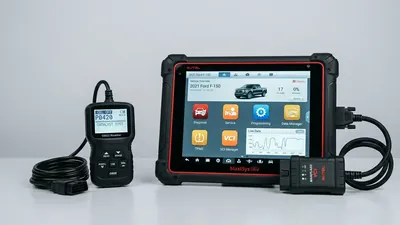
When people shop for an OBD2 scanner, one of the first questions is wireless or wired. Bluetooth adapters that pair with your phone are cheap and convenient, but wired setups — a USB cable to a laptop or a handheld unit with a cable built in — are still around for good reasons. Both read the same codes from the same port, so the real differences come down to speed, stability, and how you use the tool. Here’s an honest breakdown to help you pick.
The two setups, explained
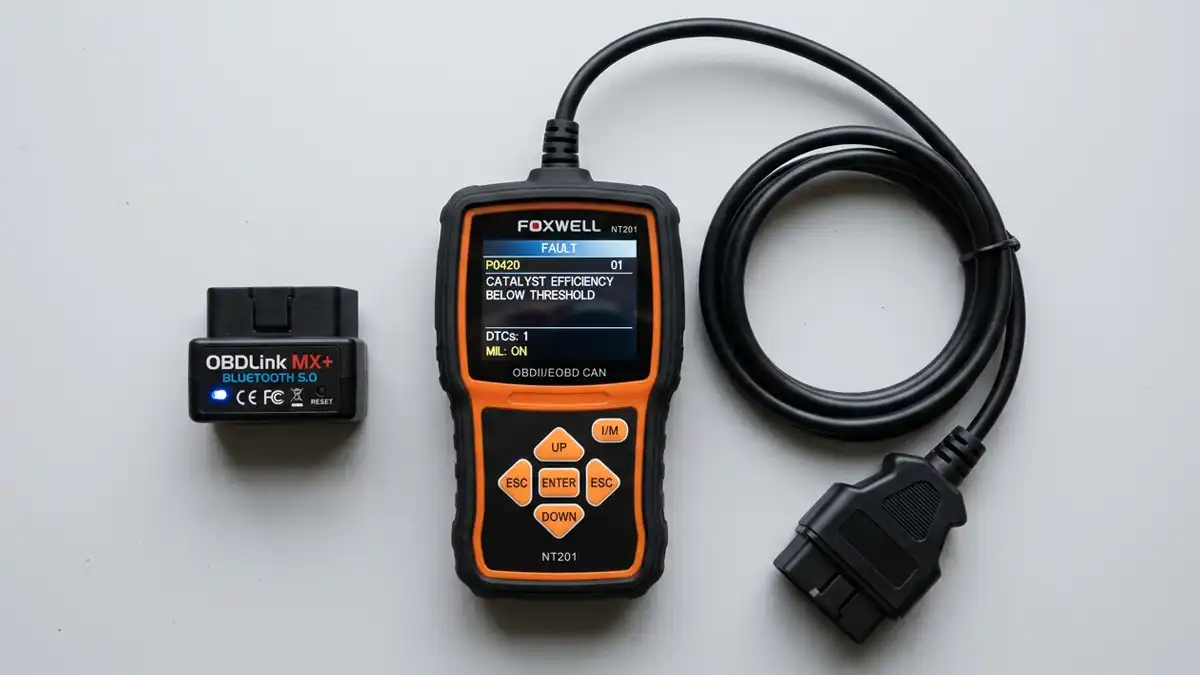
Wireless setups have two parts:
- A small adapter that plugs into your OBD2 port and sends data over Bluetooth or Wi-Fi
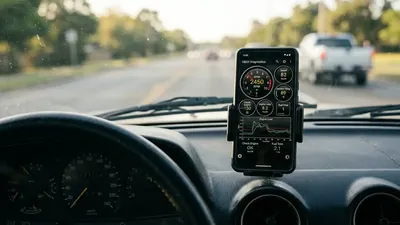
- An app on your phone that displays codes and live data
Wired setups come in two flavors:
- A USB cable that connects your OBD2 port to a laptop running diagnostic software
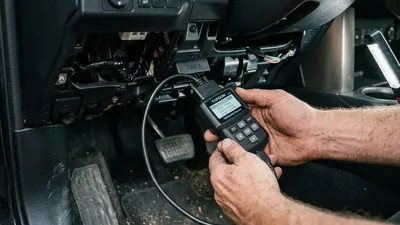
- A handheld scanner with the connector attached directly to the unit by a cable
All of them plug into the same 16-pin port under the dashboard and can read the same generic codes. The difference is how the data travels and how much of it you can see.
One thing the wireless-versus-wired question often misses: a wired handheld scanner is a complete tool on its own. It has its own screen and buttons, so it works without a phone, a laptop, or an internet connection. A Bluetooth setup is only as good as the phone it’s paired with — if your phone dies, updates its app, or gets left at home, your scanner is out of commission. For people who want a tool that just works every time, that self-contained design matters.
Connection stability: wired never drops
The biggest practical difference is reliability. A wired connection is physical — there’s nothing to interfere with it. Bluetooth connections, by contrast, can drop when your phone goes to sleep, when the adapter’s signal is weak, or when there’s interference from other devices in the car.
Dropped connections are annoying in the middle of a code read, but they’re a bigger problem when you’re watching live data. If you’re monitoring misfire counts on a P0300 random misfire diagnosis and the connection cuts out, you lose the data you needed. Wi-Fi adapters are generally more stable than Bluetooth, but they still aren’t as solid as a cable.
Speed: reading codes vs. watching live data
For plain code reading — plug in, pull the code, clear it — speed barely matters. Any adapter, wired or wireless, finishes in a few seconds.
Live data is where they separate. Watching sensor readings in real time — oxygen sensor voltage, fuel trims, RPM — requires the scanner to pull data from the car continuously. Wired connections sample much faster and smoother, so graphs look clean and you catch quick changes. Cheap Bluetooth adapters, especially older clones, update only a few times per second, which makes gauges jerky and can cause you to miss brief spikes.
If your job is watching an oxygen sensor swing up and down while you diagnose a P0420 catalyst efficiency code, a wired connection (or a high-quality Wi-Fi adapter) gives you a much clearer picture.
Wi-Fi sits in the middle: faster than most Bluetooth adapters, not quite as fast as a direct cable, but much easier to use with a phone than a laptop-and-cable setup. If you want better live data than Bluetooth but don’t want to haul a laptop to the car, Wi-Fi is the compromise that usually works.
Power and battery drain
Wireless adapters draw a tiny amount of power from the port, but here’s the catch: many of them stay powered even when the key is off. Leave one plugged in for a week and it can drain your battery — one more reason to unplug when you’re done.
Wired handheld scanners draw more power while in use, but you unplug them when you’re finished, so the risk is lower. Laptop setups get their power from the laptop, so the car port is only used for data. Either way, the rule is simple: unplug whatever you’re not using.
Your phone’s battery matters too. Streaming live data over Bluetooth for an hour of diagnosis can drain a phone noticeably, especially an older model. Wired setups put the workload on a laptop or the scanner itself, which has a bigger appetite but a steadier power source. If you plan to do long diagnostic sessions, don’t let a dead phone be the reason you stop mid-test.
Compatibility: it’s not just about the cable
This is where buyers get surprised. Bluetooth is not a universal answer:
- Android phones: Most Bluetooth adapters work fine — this is the standard setup for Android.
- iPhones: Many generic Bluetooth adapters won’t work with iPhones at all. Apple requires special certification, so iPhone owners usually need a Wi-Fi adapter instead.
- Laptops: USB cables work with any laptop and free diagnostic software, which is a popular low-cost route.
- Older cars: Cars from the mid-2000s and earlier sometimes use communication protocols other than CAN. Some adapters handle all protocols, some only CAN — check before you buy if you drive an older vehicle.
Security: the wireless angle
It’s not a topic most shopping guides raise, but it’s worth one honest paragraph. Cheap Bluetooth adapters have known security weaknesses — researchers have shown that a poorly made adapter can be a doorway into a car’s internal network for someone with the right tools. The risk to the average person is low, but it’s not zero. A wired connection has no wireless signal at all, which eliminates that concern entirely. If the idea bothers you, go wired.
Which should you choose?
| Your situation | Better choice | Why |
|---|---|---|
| Occasional check-engine-light reads | Bluetooth adapter | Cheapest, easiest, plenty fast for codes |
| Live-data diagnosis (misfires, sensors) | Wired or high-quality Wi-Fi | Faster sampling, stable connection |
| iPhone user | Wi-Fi adapter or wired | Most Bluetooth adapters won’t pair with iOS |
| Serious DIY or pro work | Wired to laptop | Full software, best data quality |
What each costs
Wireless adapters run from about $15 to $60. The cheap end reads codes fine but may be slow at live data; the upper end samples faster and holds connections better.
USB cables to a laptop run roughly $15 to $50, and the laptop software is often free for basic use. Handheld wired scanners range from about $30 for a basic unit to several hundred dollars for professional models with enhanced coverage for ABS, airbags, and transmission codes.
In practical terms: if your budget is under $50, a wireless adapter is almost always the better buy, because the app gives you scanner-style features for code-reader money. Around $80 and up, wired handhelds start to make sense — you’re paying for faster data, a screen you can read in sunlight, and coverage beyond the check-engine-light basics. Above a few hundred dollars you’re buying professional capability most home mechanics will never use, so there’s no shame in stopping at the mid-range.
The bottom line
There’s no wrong answer for everyone — it depends on the job. If you mainly want to know why the check engine light is on and clear the code, a Bluetooth adapter is the easiest and cheapest tool you’ll own. If you diagnose problems with live data, like verifying a coolant thermostat issue with P0128 or chasing down an air flow reading for P0101, then wired (or a quality Wi-Fi adapter) is the more reliable choice. Match the tool to the work and you won’t be disappointed either way.
Frequently asked questions
Is a Bluetooth scanner slower than a wired one? For reading and clearing codes, no — both finish in seconds. For live data, yes: wired connections sample faster and produce smoother graphs, while cheap Bluetooth adapters can be noticeably jerky.
Will a Bluetooth adapter work with my iPhone? Often not. Many generic Bluetooth adapters require Android or don’t meet Apple’s certification rules. iPhone owners typically need a Wi-Fi adapter or a wired unit.
Can leaving a Bluetooth adapter plugged in kill my battery? It can. Many adapters stay powered with the key off, and the drain adds up over days. Unplug the adapter when you’re not using it.