“Code reader” and “scanner” get used interchangeably in every car forum and parts store, but they’re actually different tools with different jobs. Both plug into the same OBD2 port under your dashboard, and both can tell you why your check engine light is on. The difference is depth: a code reader tells you what the code is, while a scanner shows you what the engine is doing right now. This guide explains the difference in plain English and helps you figure out which one you actually need.
What a code reader does
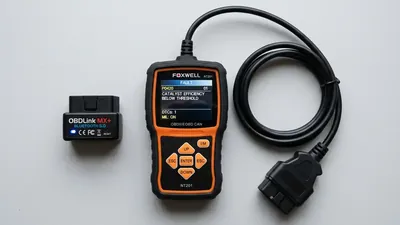
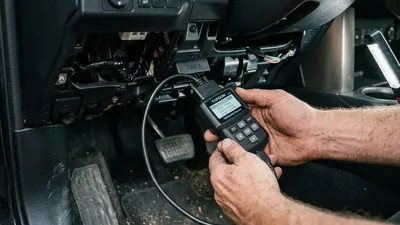
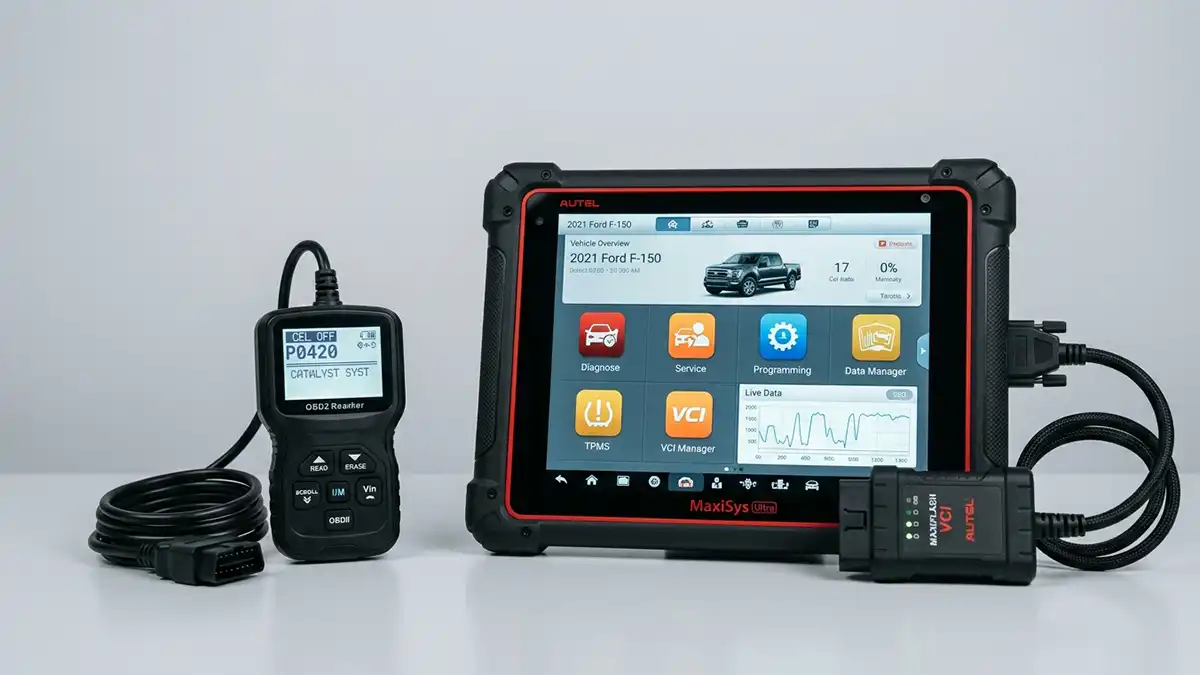
A code reader is the simpler tool. It plugs into the OBD2 port, reads diagnostic trouble codes (DTCs) from your car’s computer, and shows them on a small screen. Most can also clear the codes and turn the check engine light off. Some display a brief description of the code, and a few show “freeze frame” data — a snapshot of engine conditions at the moment the code was stored.
That’s about it. A code reader is a flashlight, not a workbench: it tells you something is wrong and roughly where, but it can’t tell you how bad or why.
Code readers start around $20 and go up to about $60. They’re small, simple, and almost anyone can use one without reading a manual. For many drivers, that’s genuinely all they need — if your goal is to find out why the light is on and decide whether the repair is something you can handle, a code reader answers that question in under a minute.
What a scanner does
A scanner does everything a code reader does, then adds layers of information. Here’s what you get with a real scanner:
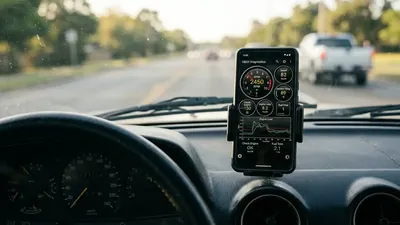
- Live data — real-time readings from sensors like RPM, coolant temperature, fuel trims, and oxygen sensor voltage, updating as the engine runs.
- Graphing — plot a sensor’s readings over time so you can watch patterns and catch brief glitches.
- Freeze frame data — the engine conditions at the moment the code was stored (also found on better code readers).
- Emissions readiness monitors — whether your car’s emissions systems have completed their self-tests, useful before an inspection.
- Enhanced codes — beyond generic powertrain codes, many scanners read manufacturer-specific codes for ABS, airbags, and transmissions.
- Bi-directional controls — the ability to command parts to operate, like cycling a fan or opening a valve, to test them (professional models).
- Special functions — resets, adaptations, and programming tasks like service light resets or injector coding (professional models).
Same port, different jobs
Every car sold in the US since 1996 has the same standardized OBD2 port and speaks the same basic language for engine and emissions codes. That’s why even the cheapest code reader works on almost any car you’ll ever plug it into.
The standardized part covers generic codes like the ones that start with P0 — for example, P0171 (engine running lean) and P0300 (random misfires). These are what you’ll see when the check engine light comes on, and both code readers and scanners handle them equally well.
Beyond that layer are manufacturer-specific systems — ABS, airbags, transmission, body control — that use codes a basic reader can’t see. That’s the territory of enhanced scanners and brand-specific tools.
The code’s first letter tells you which system it belongs to. P codes are powertrain (engine and transmission), B codes are body, C codes are chassis (including brakes and ABS), and U codes are network communication. A basic code reader sees the P codes clearly but often nothing else. If you’re looking at a car with a brake or airbag warning light, expect to need a scanner that can read beyond the P range.
How a scanner helps with real repairs
The best way to understand the difference is to see it in action. Consider a few common codes:
- P0171 — running lean. A code reader tells you the engine is getting too much air or not enough fuel. A scanner shows you the fuel trim values live, so you can watch whether the number climbs out of the normal range and confirm your repair brought it back.
- P0300 — random misfires. A code reader gives you the code. A scanner shows per-cylinder misfire counts, so you can tell whether one cylinder is the problem or the issue is spread across all of them.
- P0420 — catalyst efficiency. A code reader says the converter isn’t working efficiently. A scanner lets you graph both oxygen sensors — the one before and the one after the converter — so you can see whether the converter is genuinely bad or whether a sensor is misleading you.
None of this is exotic. It’s exactly the information a home mechanic needs to decide whether a problem is a $30 fix or a $1,000 repair, and to verify a fix actually worked before clearing the code.
There’s another practical benefit that’s easy to overlook: a scanner helps you confirm a repair before you pay for it or hand over the keys. If you clear the code after a fix and watch the live data settle into normal ranges, you have real evidence the job worked. If the readings still look wrong, you saved yourself a trip back to the shop.
What each costs
| Tool | Typical price | What it gives you |
|---|---|---|
| Basic code reader | $20–$60 | Read and clear generic codes |
| Bluetooth adapter + phone app | $15–$80 | Codes plus live data on your phone |
| Mid-range handheld scanner | $80–$250 | Live data, graphing, some enhanced codes |
| Professional scanner | $300–$1,000+ | Bi-directional controls, special functions, full coverage |
The good news: you don’t have to buy a $500 tool to get scanner features. A Bluetooth adapter with a phone app, or a mid-range handheld, delivers live data and graphing for well under $250.
Also worth knowing: many national auto parts chains lend or rent scanners through loan-a-tool programs, often free or for a small deposit. That’s a legitimate way to borrow scanner-level capability for a weekend without buying anything. If you only need a scanner once, that may be the smartest option of all.
Which one do you actually need?
Be honest about how you work on your car, and the answer gets simple:
- You just want to know why the light is on (and maybe clear it): a basic code reader is enough.
- You do your own repairs and want to confirm them: get scanner-level live data, either from an adapter-and-app combo or a mid-range handheld.
- Your ABS or airbag light is on: a basic reader won’t see those codes — you need an enhanced scanner or a brand-specific tool.
- You’re a professional or do serious projects: invest in a full scanner with bi-directional controls.
One mistake people make is buying the most expensive tool in the store because it sounds impressive. A $500 scanner won’t make a $40 repair easier. Buy the cheapest tool that can read the codes you actually see, then upgrade only when a specific job demands it — like the day an airbag light comes on and you need enhanced coverage.
One more honest note: phone apps blur the line. A free OBD2 app on your phone is basically a code reader. A paid app with live data and graphing is a scanner in your pocket. That’s the cheapest path to scanner features most people will ever find.
Frequently asked questions
Can a code reader clear codes? Yes, most code readers can clear stored codes and turn off the check engine light. But clearing a code doesn’t fix the problem — if the fault is still there, the light will come back.
Will a basic code reader work on any car? It will read generic codes on any 1996-or-newer car sold in the US, since the port and basic codes are standardized. Manufacturer-specific codes like ABS or airbag codes need an enhanced scanner.
Do I need a scanner for an ABS or airbag light? Yes. ABS and airbag systems use manufacturer-specific codes that a basic code reader can’t see. You’ll need an enhanced scanner or a brand-specific tool.