An OBD2 scanner is the fastest way to find out why your check engine light is on. You don’t need to be a mechanic — the whole process takes a few minutes and can save you from paying a shop just to read a code. This guide walks you through it step by step, from finding the port to understanding what the scanner tells you.
What you need
- An OBD2 scanner (a basic code reader works; Bluetooth adapters that pair with a phone app are fine too)
- Your car’s OBD2 port location (usually under the dashboard on the driver’s side)
There are a few common types of scanners, and any of them will work for reading codes:
- Handheld code readers — the classic small tool with a screen and buttons. Simple and reliable.
- Bluetooth/Wi-Fi adapters — small dongles that plug into the port and send data to a phone app. Usually the cheapest option.
- Professional scan tools — larger units with live data and advanced features. Overkill for most home users.
Step 1: Find the OBD2 port
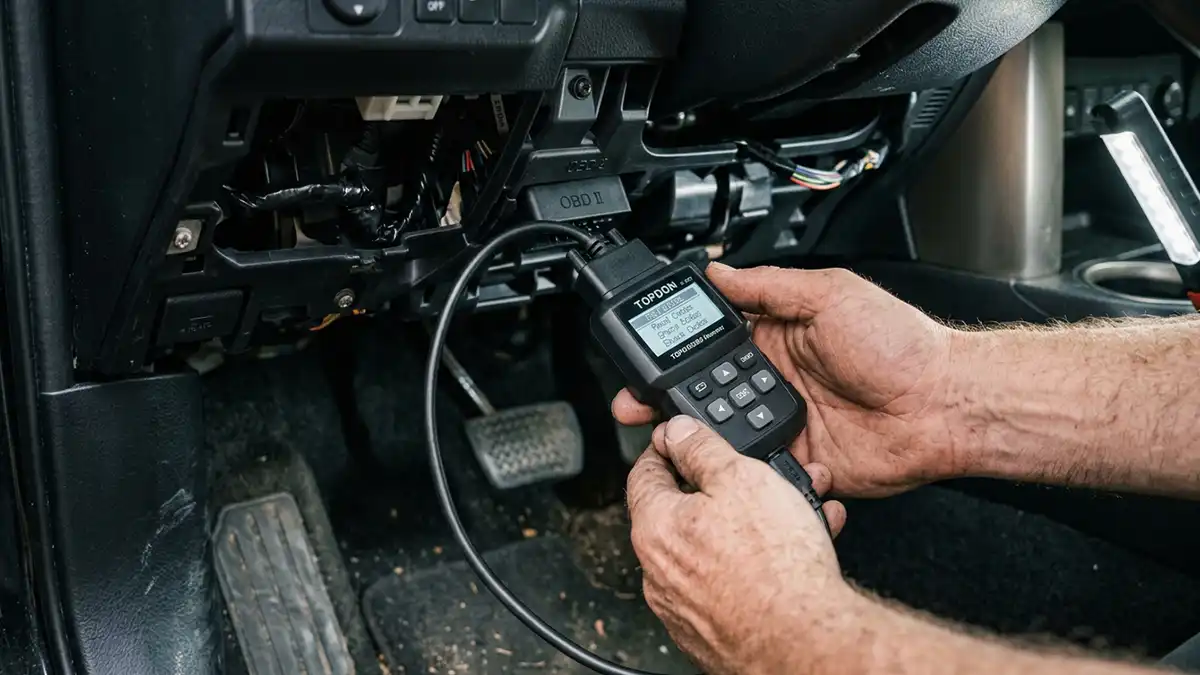
The port is a 16-pin trapezoid-shaped connector, almost always under the driver’s side dashboard, near the steering column. If it’s not there, check behind a small trim panel or near the center console. Every car sold in the US since 1996 is required to have this port within reach of the driver’s seat, so it’s always somewhere you can get to.
Step 2: Plug the scanner in
Turn the ignition to the ON position — engine off is fine for reading codes. Plug the scanner into the port; it only fits one way, so don’t force it. The scanner should power on from the port itself, no separate power needed.
Step 3: Read the codes
Select “Read Codes” or “Scan” on the scanner. After a few seconds it will show one or more codes like P0420 or P0171. Write them down exactly — including the letter (P, B, C, or U) and all four digits. That letter matters: it tells you which system the code is about.
Step 4: Understand what the code tells you
A code is a clue, not a diagnosis. It points you at a system, not a specific broken part. Here’s what the letter means:
- P — Powertrain (engine and transmission). This is what you’ll see most often.
- B — Body (airbags, seats, power features).
- C — Chassis (ABS, traction control).
- U — Network (communication between the car’s computers).
For example, P0420 means the catalytic converter isn’t working efficiently, P0171 means the engine is running lean (too much air, not enough fuel), and P0300 means random engine misfires. You can look any of these up on our site for plain-English causes, fixes, and typical costs.
Step 5: Check for more than one code
Cars often store several codes at once, and one can be the result of another. For example, a P0135 oxygen-sensor heater code might appear alongside a P0420. Always write down every code before you clear anything, because the full list tells a better story than any single code.
Step 6: Clear the code (or not)
Most scanners can clear the code and turn the light off. But clearing the code doesn’t fix the problem — if the issue is still there, the light will come right back. If you’re about to have the car inspected or diagnosed, it’s better to leave the code stored so a technician can see it. Clearing codes also resets your readiness monitors, which means the car may not pass an emissions test right away.
When to get professional help
If the code points to something safety-critical — like a flashing check engine light, which means a severe misfire that can damage the catalytic converter — or you’re not comfortable doing the repair, take the car to a shop. A stored code is still a great starting point: it saves the technician diagnostic time, and that’s why even a cheap scanner pays for itself.
Tips for getting accurate readings
- Scan with the key on but the engine off for basic code reading.
- Don’t clear codes until you’ve written them all down.
- If a code comes back immediately after clearing, the underlying problem is still active.
- A code that appears once and never returns may have been a one-time event, like a loose gas cap.
How to choose your first scanner
If you’re buying your first scanner, don’t overthink it. Match the tool to what you actually want to do:
- Just want to read and clear codes? A basic $20–$40 code reader is all you need.
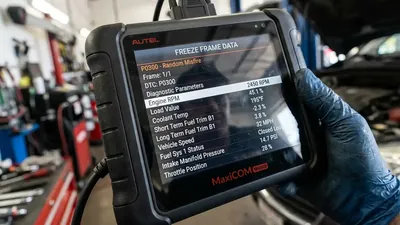
- Want live data and more detail? A Bluetooth adapter paired with a phone app gives you graphs, freeze frame data, and manufacturer codes for roughly the same price.
- Plan to do your own repairs? Look for a scanner that shows live data and readiness monitors, not just codes.
- Working on multiple brands? A scanner that supports manufacturer-specific codes will pay for itself the first time it reads a code a generic reader can’t.
Whatever you pick, make sure it’s OBD2-compliant (nearly everything is now), and if you use a phone app, check that it supports your car’s brand before relying on it for anything beyond generic codes.
Frequently asked questions
Can I use any OBD2 scanner on my car?
Yes — any OBD2 scanner works on any 1996-or-newer US car, because the port and basic codes are standardized. Diesel, hybrid, and some manufacturer-specific codes may need a more advanced scanner.
Will a cheap scanner read all codes?
Basic scanners read generic “P0xxx” codes. Manufacturer-specific codes (P1xxx and up) often need a more capable scanner or a brand-specific tool.
Do I need the engine running?
No. Turn the key to ON (accessory power) — that’s enough for the scanner to read codes safely. The engine can be off while you scan.