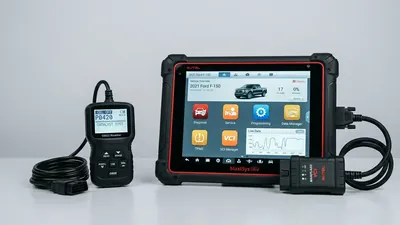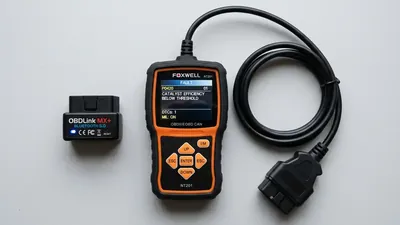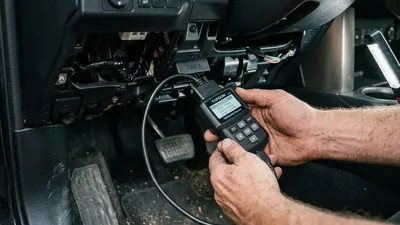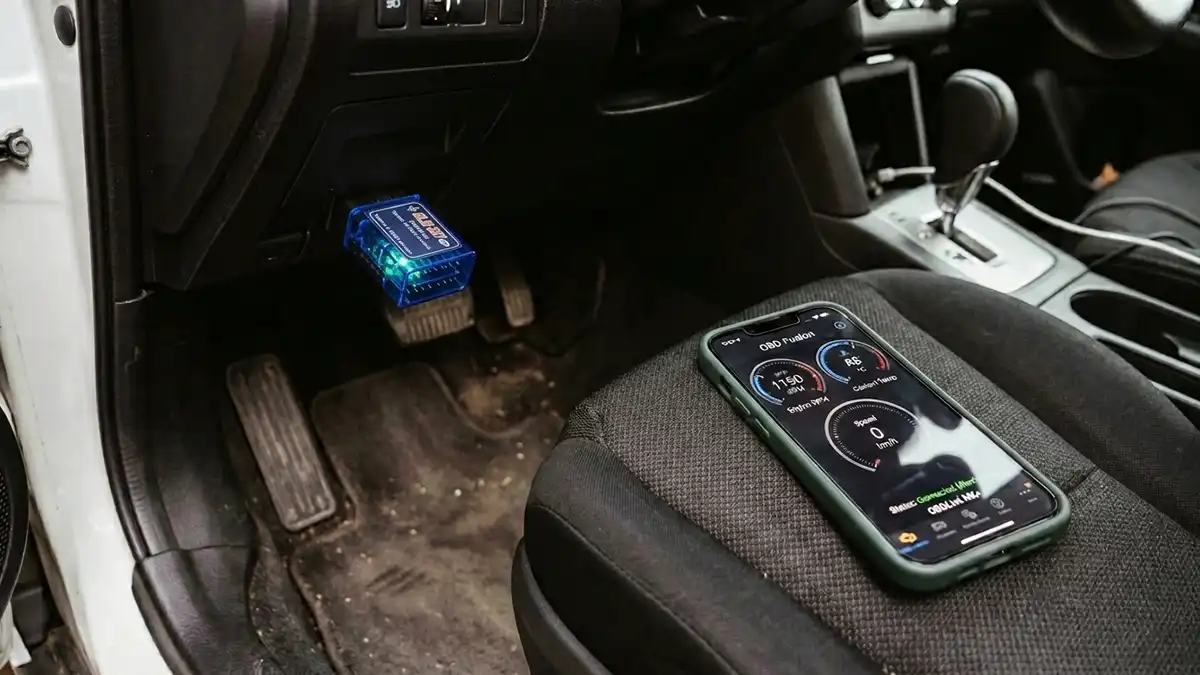
Your iPhone can turn into a serious diagnostic tool with the right OBD2 adapter. A small device that plugs into the port under your dash can read and clear codes, stream live engine data, and log a trip you can show a mechanic. The catch is compatibility: not every adapter works with an iPhone. Here’s how to choose one that does.
The compatibility catch most people hit
Android phones can talk to OBD2 adapters over classic Bluetooth. iPhones don’t work that way. iOS apps need either a Bluetooth Low Energy (BLE) adapter or a Wi-Fi adapter, and many cheap adapters sold online use classic Bluetooth and simply will not pair with an iPhone. If a listing doesn’t say “iOS compatible,” “BLE,” or “works with iPhone,” assume it doesn’t.
There’s a second layer to the problem: many budget adapters use cloned chips that imitate a genuine ELM327 but behave erratically. They may connect one time and fail the next, return wrong data, or drop the connection mid-scan. You don’t need the most expensive adapter on the shelf, but the very cheapest are where the reliability problems concentrate.
Wi-Fi or Bluetooth Low Energy?
Both work with an iPhone, and both have trade-offs:
- BLE (Bluetooth Low Energy) adapters pair with your phone like any Bluetooth device. They’re quick to connect, draw very little power, and are the modern choice. The catch: some apps only support Wi-Fi adapters, so check app compatibility before buying.
- Wi-Fi adapters create their own wireless network, and your phone connects to that instead of your home or car Wi-Fi. They work with more apps, including some long-standing favorites. The catch: you have to switch Wi-Fi networks each time, and reconnecting can be a minor hassle.
Neither is objectively better — the right answer depends on which app you want to use. That’s worth repeating: choose your app first, then buy the adapter it supports.
What to look for in the adapter
Beyond the Wi-Fi versus BLE choice, these features matter:
- Explicit iPhone support. Look for “iOS compatible” in the listing and recent reviews from iPhone users, ideally with your same phone model.
- A trustworthy chip. Adapters built around a genuine (not cloned) ELM327 or a brand-designed chip tend to connect reliably and report accurate data.
- Fast live data. If you want to watch sensors in real time, refresh rate matters. Budget adapters often lag; read reviews for complaints about slow or jumpy data.
- Sleep mode. A good adapter powers down after the car is off so it doesn’t drain your battery. Cheap ones can stay awake and slowly kill a battery over weeks.
- Firmware updates. Some brands update their adapters to fix bugs and add vehicle support. It’s a feature you hope you never need until you do.
- Cable or no cable. A dongle that plugs straight into the port is fine for most cars; a short cable can help if your port is recessed.
Setting up your first scan
First-time setup is where most people get stuck, so here’s the order that works. Start the car or turn the key to the ON position — the adapter draws power from the port, so the engine doesn’t need to be running. Plug the adapter in and give it a few seconds to power up.
For a BLE adapter: open the iOS Settings app, tap Bluetooth, and let the adapter show up in the device list — it usually appears as a name like “OBDII” or a brand name. Tap it to pair, then open your scanner app. In most apps you’ll pick the adapter from a connection screen once, and it will remember it from then on.
For a Wi-Fi adapter: open the iOS Settings app, tap Wi-Fi, and connect to the network the adapter broadcasts — its name is usually printed on the device or in the manual. Once you’re connected to the adapter’s network, open your scanner app and it should find the adapter immediately. The trade-off is the reconnect dance: every time you use it, you switch your phone off your home or car Wi-Fi and onto the adapter’s network, and switch back afterward.
If the app can’t find the adapter, close the app completely and reopen it — that clears most connection hiccups. If it still fails, check whether the app or the adapter has an update pending. And if a brand-new adapter won’t connect at all on the first try, that’s a strong sign it’s a clone with unreliable firmware; return it rather than fighting it.
Picking an app
The app is half of the experience, so take your time here. Free apps read and clear the standard codes, which covers the “why is my light on” question completely. Paid apps — typically a one-time purchase — add live data graphs, manufacturer-specific codes, data logging, and emissions readiness views. Subscription models exist, but they’re not required for basic use.
The practical order is: decide what you want to do, find an app that does it, check which adapters that app supports, and buy accordingly. Buying an adapter first and then discovering your favorite app won’t connect to it is the most common way this goes wrong.
What you can actually do with it
With a working adapter and a decent app, you can:
- Read and clear codes like P0420, P0171, and P0300
- Watch live data — coolant temperature, fuel trims, oxygen sensor voltage — while you drive
- Check emissions readiness monitors before an inspection
- Track down EVAP family problems, from a P0455 large leak to a small P0442 leak
- Record a short data log to show a mechanic what the car was doing
The same limits apply as any generic scanner: you get powertrain codes, not airbag or ABS codes, and you can’t command parts to actuate the way a professional tool can.
What it costs, roughly
Adapters run from about $20 to over $100. The price mostly reflects the chip, the connection speed, the build quality, and the brand’s support — not the ability to read codes, which even a $20 unit handles. Apps range from free to around $50 as a one-time purchase, with a few subscription options. All told, a solid iPhone setup usually lands somewhere between $40 and $120, depending on how much live-data performance you want. Prices shift over time, so treat those as planning numbers, not exact quotes.
Why you should avoid the cheapest adapters
It’s tempting to grab a $10 dongle, and sometimes they work fine. But the failure rate among the cheapest is the real problem: cloned chips, dropped connections, and data that doesn’t match what the car is actually doing. A wrong reading can send you chasing a fix you don’t need. If a deal looks too good, spend five minutes reading the one-star reviews — “doesn’t work with my iPhone” shows up there constantly.
Frequently asked questions
Will any Bluetooth OBD2 adapter work with my iPhone? No. iPhones only work with Bluetooth Low Energy (BLE) adapters or Wi-Fi adapters. Classic Bluetooth adapters, including many cheap ELM327 dongles, work with Android phones but won’t pair with an iPhone.
Is a Wi-Fi adapter better than a BLE one? Neither is better across the board. Wi-Fi adapters work with more apps but require switching wireless networks to connect. BLE adapters connect faster and use less power but need app support. Choose based on the app you plan to use.
Will leaving the adapter plugged in drain my car battery? A quality adapter with a sleep mode powers down when the car is off and is safe to leave installed. Cheaper adapters can stay active and drain the battery over time; if yours runs warm or the car sits for days, unplug it.