Your car drives fine, the check engine light is off, but the emissions station turns you away with the message “readiness monitors not ready.” No light, no obvious problem — just a rejection. This guide explains what readiness monitors are, why they end up “not ready,” and how to get them running again.
What readiness monitors are
Your car’s engine computer constantly runs background self-checks on its emissions systems. Each check is a readiness monitor, and each one verifies that one system is working. Think of them as a checklist the computer has to fill out before it trusts its own emissions controls.
The main monitors:
- Catalyst monitor — tests catalytic converter efficiency (codes like P0420 and P0430)
- Oxygen sensor monitors — test the O2 sensors and their heaters (P0135, P0141)
- EVAP monitor — tests the fuel system for vapor leaks (P0442, P0455, P0456)
- Misfire monitor — watches for misfires (P0300)
- Fuel system monitor — checks the air-fuel mixture (P0171)
- EGR monitor — checks the exhaust recirculation system (P0401)
- Thermostat monitor — checks engine warm-up (P0128)
“Not ready” does not mean something is broken. It means the computer hasn’t finished a particular self-check yet — the test simply hasn’t run.
Why your monitors say “not ready”
Five causes cover most cases:
- Codes were recently cleared. Clearing codes — with a scanner or by disconnecting the battery — resets every monitor to “not ready.” They only come back once the car is driven under the right conditions.
- Short trips. Many monitors need sustained driving at highway speeds. A two-mile commute never gives them a chance.
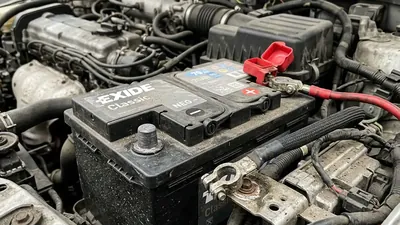
- Dead or disconnected battery. Losing power wipes the stored monitor results, so a dead battery or a recent battery replacement leaves everything “not ready.”
- The car sat for a while. On some makes, monitors that haven’t run in weeks can fall back to “not ready” on their own.
- A hidden fault is blocking them. Some monitors refuse to run while another problem is present. For example, an active misfire can stop other monitors from starting, because the computer treats the misfire as more urgent.
Why the light is off but monitors aren’t ready
It seems contradictory: the check engine light is out, yet the monitors say “not ready.” That’s normal after a repair. When the code was cleared, the light went off and the monitors reset at the same time. The computer now needs to re-run its self-checks to build the readiness record back up. No fault is present — the record is just empty.
Think of it like a school transcript: clearing the codes wipes the grades, not the student. The computer still has to take the tests again before it can report a passing record.
How to get them to run: the drive cycle
The fix is a drive cycle — a specific pattern of driving that lets the computer run its checks. Most cars need a cold start, some stop-and-go driving, and a steady highway cruise. Here’s a cycle that works for most models and takes roughly 20 to 30 minutes:
- Start the car cold (it should have sat for several hours) and idle for two to three minutes with the headlights and rear defroster on.
- Drive at 20 to 30 mph for a few minutes without stopping.
- Stop completely, then accelerate gently back to 25 to 30 mph. Repeat several times over about five minutes.
- Accelerate smoothly to 55 to 60 mph and cruise at a steady speed for about ten minutes.
- Coast down to about 20 mph without hard braking, then idle for a minute or two.
- Turn the car off. Some monitors only finalize their results after an ignition cycle.
Two practical details can make or break a cycle. First, fuel level: the EVAP monitor in particular prefers a tank between a quarter and three-quarters full, so fill up or burn down before you start if you’re outside that range. Second, weather: extreme cold or heat can slow some monitors down, and a battery that’s weak or old may keep them from running at all. If your battery is more than five years old and the monitors won’t set, have it tested — it’s a cheap check that rules out a common cause.
Check your owner’s manual or a manufacturer website for the exact cycle for your model — some cars need specific speeds or RPM ranges.
How to check readiness yourself
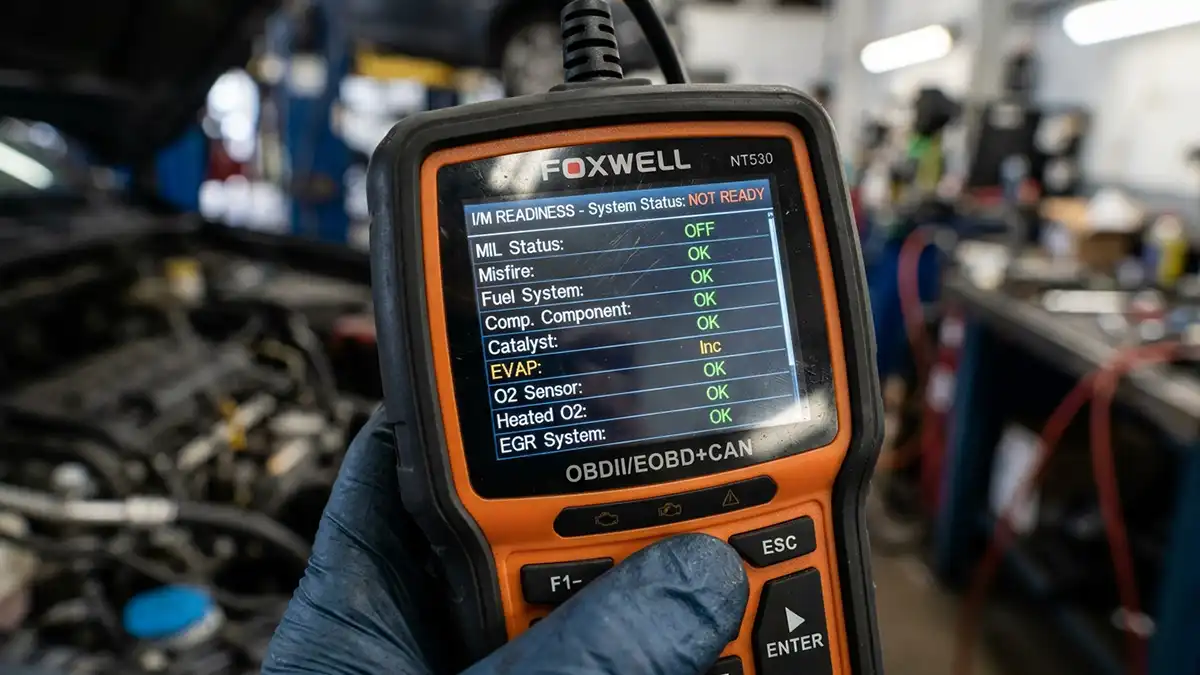
Most code readers — even budget ones — have a readiness screen, sometimes labeled “I/M readiness” or “Monitors.” Plug the reader in, open that menu, and you’ll see a list of monitors with a status for each: “ready,” “not ready,” or “not supported.” “Not supported” just means your car doesn’t have that system, which is fine.
A few things to know when you check:
- Check after completing a full cycle, not right after clearing codes — everything shows “not ready” then, and it tells you nothing.
- Some monitors are shown in pairs (oxygen sensor and oxygen sensor heater). Both need to be ready.
- Write down which monitors are still incomplete. If it’s only EVAP, plan a cycle with the right fuel level. If it’s catalyst, plan a solid highway cruise.
This turns guessing into a checklist: you drive, check, and target exactly the monitors that are still “not ready.”
The slow ones: EVAP and catalyst
Two monitors deserve special attention because they’re the most common “not ready” holdouts:
- Catalyst monitor. It needs that sustained highway cruise. If it stays “not ready” after a good cycle, the converter itself may be weak — a P0420 code returning after the monitor runs is the classic sign.
- EVAP monitor. The pickiest of all. It often needs multiple drive cycles, a fuel tank between a quarter and three-quarters full, and a tightly closed gas cap. Cold weather can slow it down too.
What not to do
- Don’t clear codes right before your test. That resets the monitors and guarantees a “not ready.”
- Don’t idle in the driveway for an hour. Idling alone sets almost nothing.
- Don’t keep restarting the car. Many monitors need one continuous drive with a cold start; every restart starts the clock over.
When “not ready” means a real problem
Sometimes “not ready” is the computer protecting you from a false pass. If a monitor runs and fails, you get a code — like P0171 when the fuel system monitor finds a lean condition. That’s a real fault to fix, not a driving-style problem.
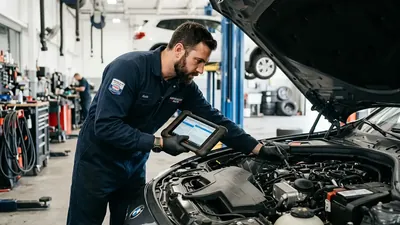
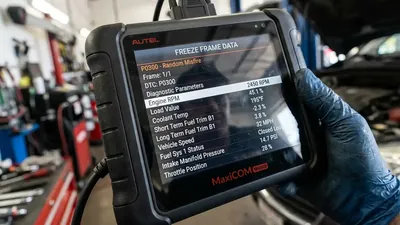
If one specific monitor stays “not ready” after three or four honest drive cycles and no code ever appears, there may be a hidden issue the monitor depends on, like a slow oxygen sensor or a weak battery. A shop with a professional scanner can watch the monitor in real time and tell you exactly what condition it’s waiting for. That answer is usually worth the diagnostic fee.
Frequently asked questions
How long does it take for readiness monitors to become ready? Usually one or two complete drive cycles of 20 to 30 minutes. The EVAP monitor can take longer — sometimes several cycles with the right fuel level and a tight gas cap.
Can I pass emissions with monitors not ready? It depends on your state. Most allow one or two incomplete monitors, but some require all of them. Check your local rules before scheduling a test.
Does disconnecting the battery reset readiness monitors? Yes. Any loss of power to the engine computer — a disconnect, a dead battery, or a battery replacement — resets the monitors to “not ready,” and they only recover after the right driving conditions.